
Press kit
Tokumo is a home screen for Android phones and tablets, made to be used with a game controller. It puts games, video, music and apps on one screen, in four tabs: PLAY, WATCH & LISTEN, APPS and SYSTEM. Touch works too. Basic is free, with no account and no ads. Tokumo Pro is an optional purchase through Google Play that adds every collection past the first two, four more themes and the Dynamic background.
Facts
- Developer
- Be Prime LLC, a Florida company
- Devices
- Android phones and tablets with Android 10 or later
- Where
- On Google Play, in the United States only for now
- Price
-
- Basic: free.
- Tokumo Pro: $9.99 a year, after a 7-day free trial. The free trial is for first-time subscribers, when Google Play offers it.
- Tokumo Pro Lifetime: $29.99 once.
US prices, sold only through Google Play. The Tokumo Pro terms have the details.
- Account and ads
- No account, no sign-in and no ads. No analytics, tracking or crash-reporting code of its own.
- Tested so far on
- An 8.8-inch tablet with Android 16, with a controller it clips into; a phone with Android 17; and a virtual phone (Android’s emulator) with Android 16
- Not tested yet on
- Handhelds with built-in game controls, real foldable phones, laptops and desktops that run Android apps, and XR headsets
- Contact
- support@tokumo.app
Images
Images from Tokumo’s Google Play listing. Each download is the listing’s own file. The apps and games in the screens are made-up samples, not real ones.
-
App icon
A pink-to-blue hexagon around a dot and a bar, on dark violet, as a full square.
Download the app icon (PNG, 512 × 512 pixels, 110 KB)
-
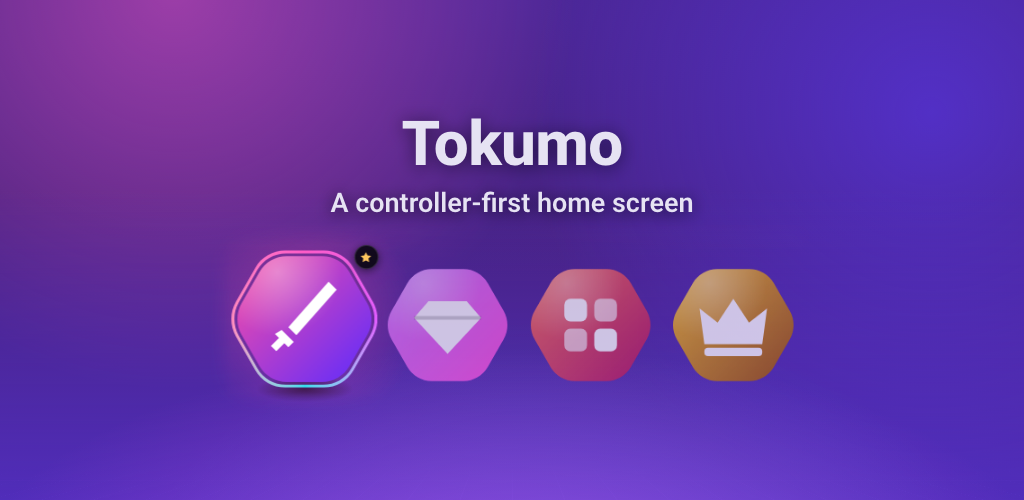
Feature graphic
The banner on the Google Play listing: the name and the line “A controller-first home screen”, above a row of games with the favorite in focus.
Download the feature graphic (PNG, 1024 × 500 pixels, 362 KB)
-
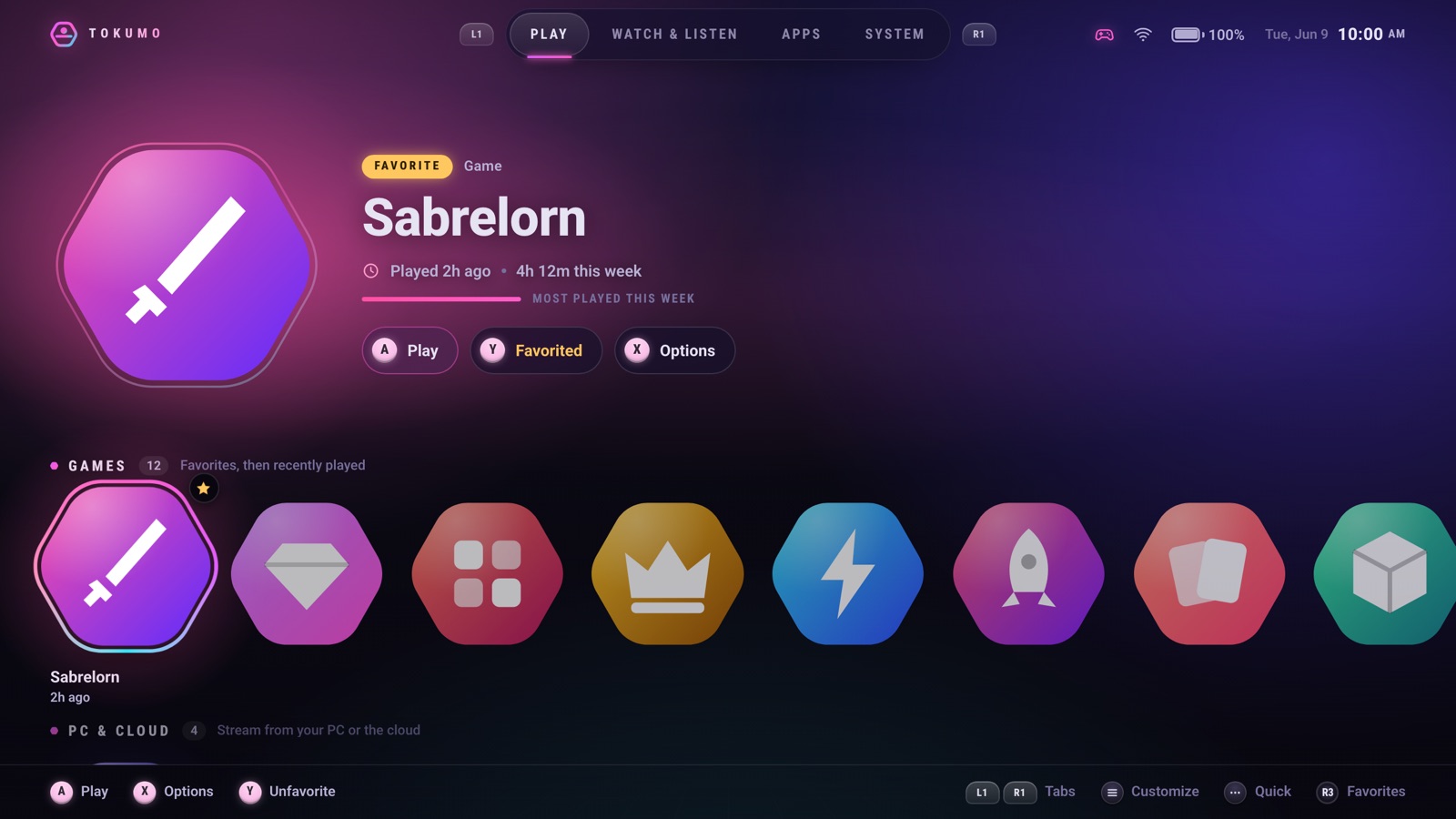
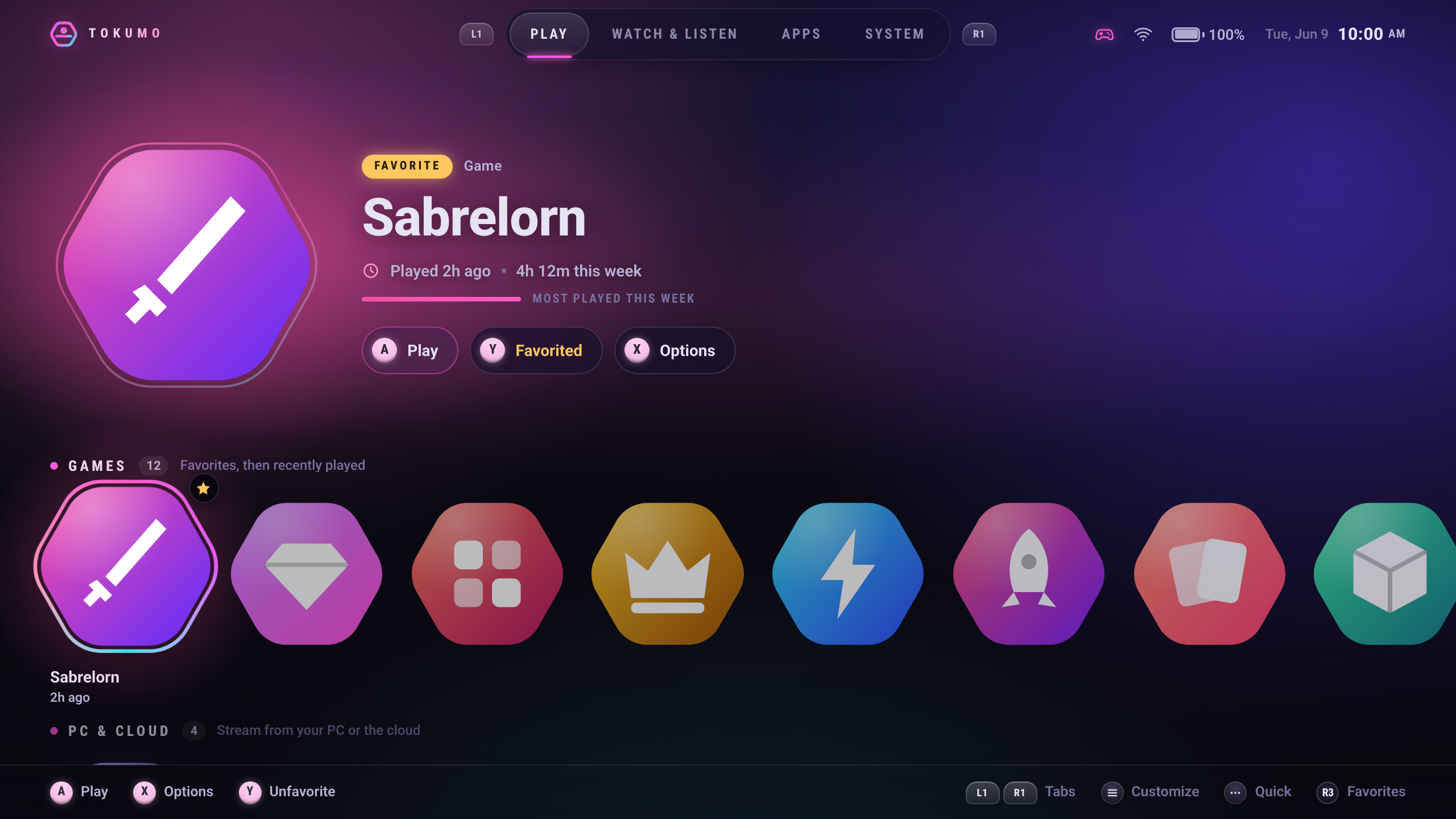
PLAY on a tablet
A favorite game in the spotlight with this week’s play time, above a row of games and the controller button hints.
Download PLAY on a tablet (PNG, 2560 × 1440 pixels, 2.1 MB)
-
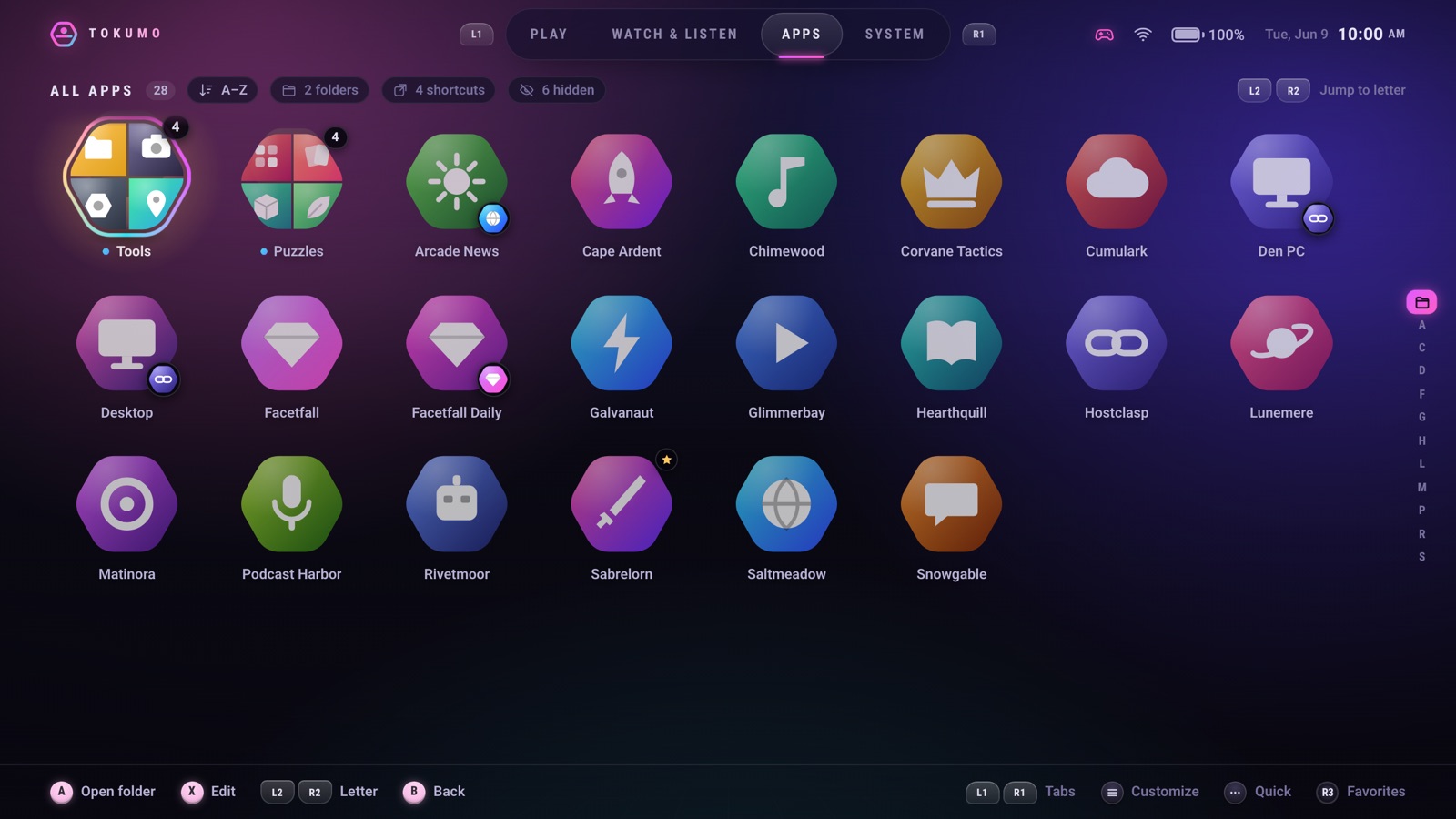
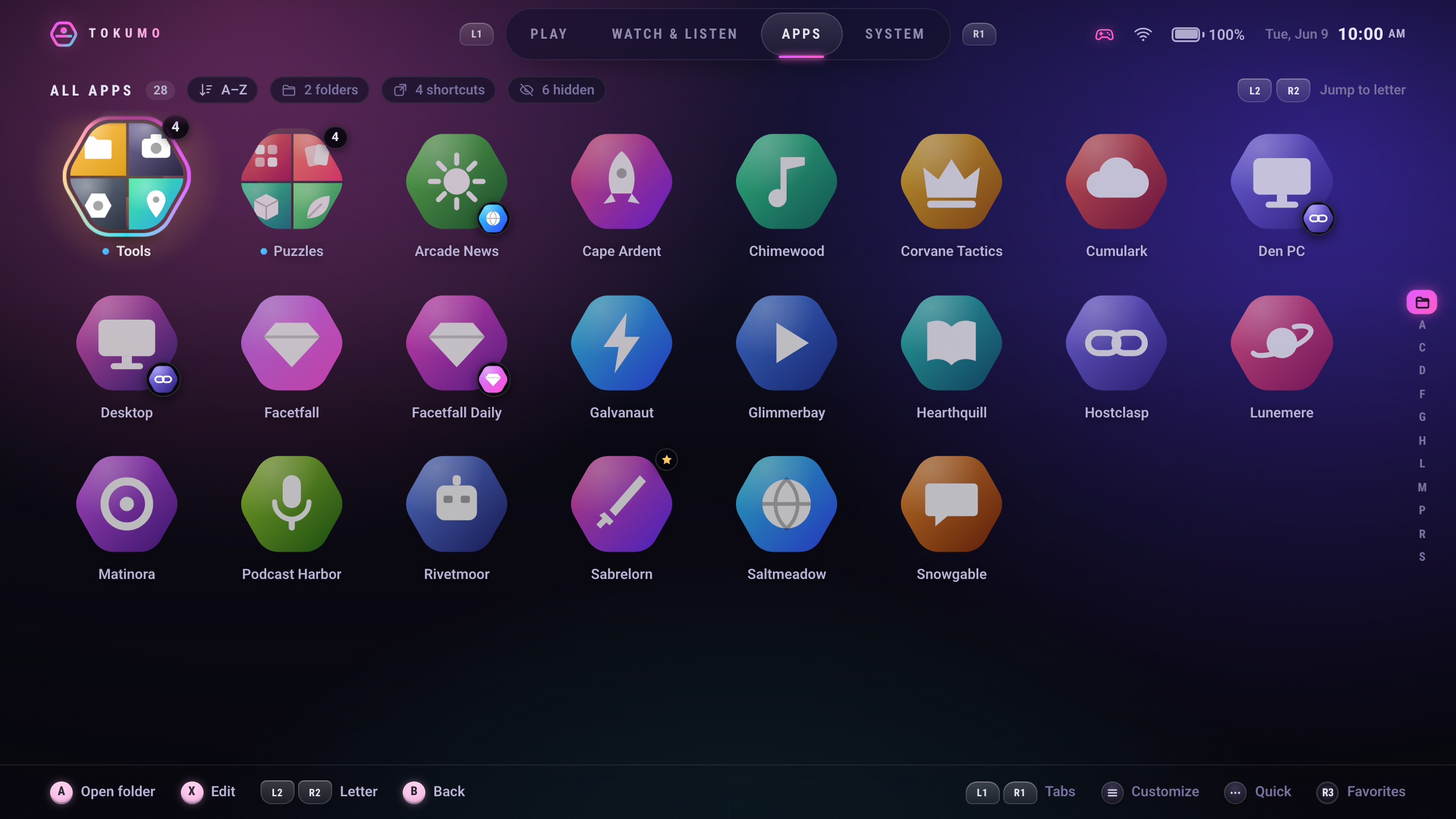
APPS on a tablet
Every app from A to Z, with folders for tools and puzzles, shortcuts as tiles and a letter index to jump through.
Download APPS on a tablet (PNG, 2560 × 1440 pixels, 1.8 MB)
-
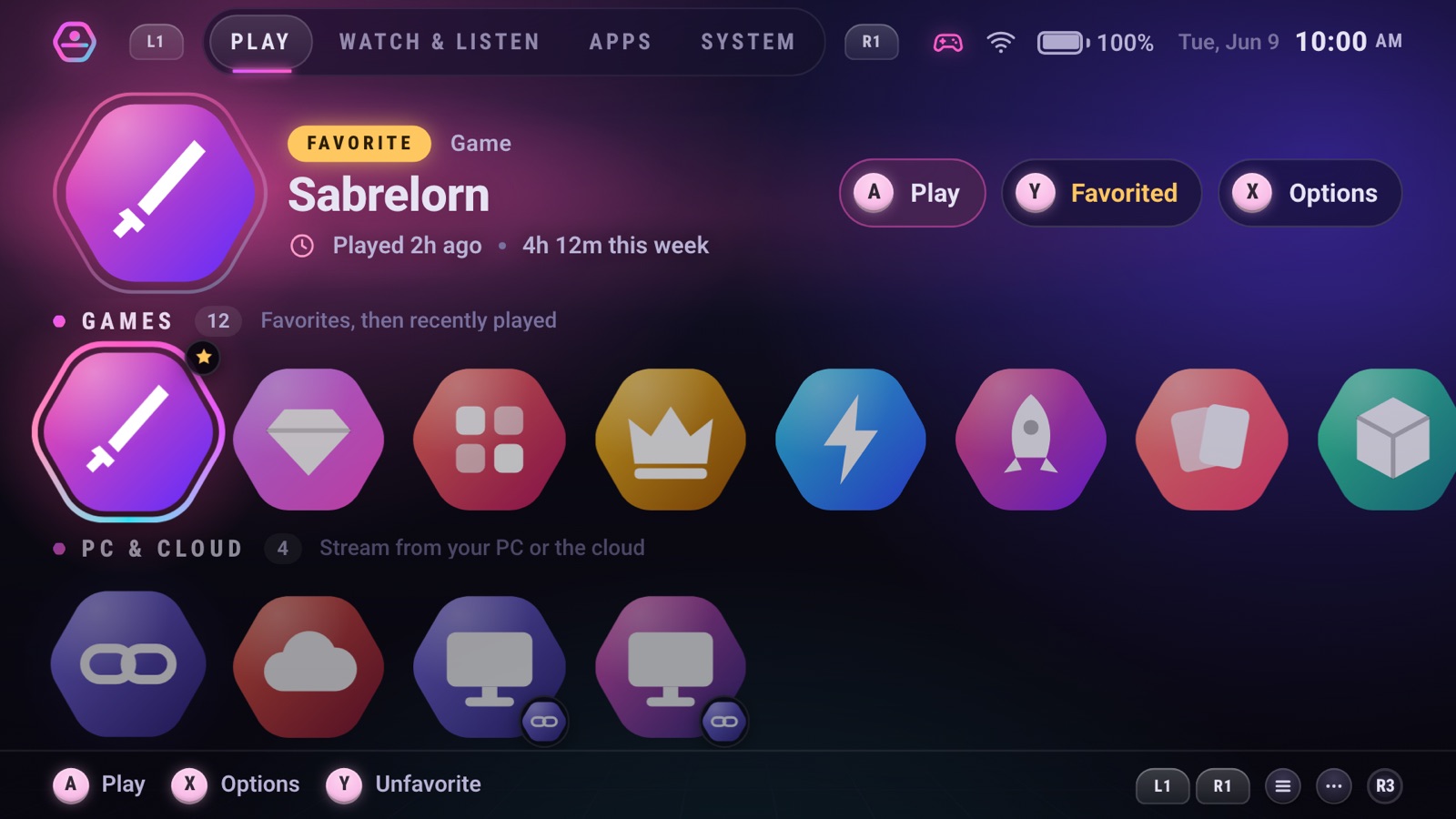
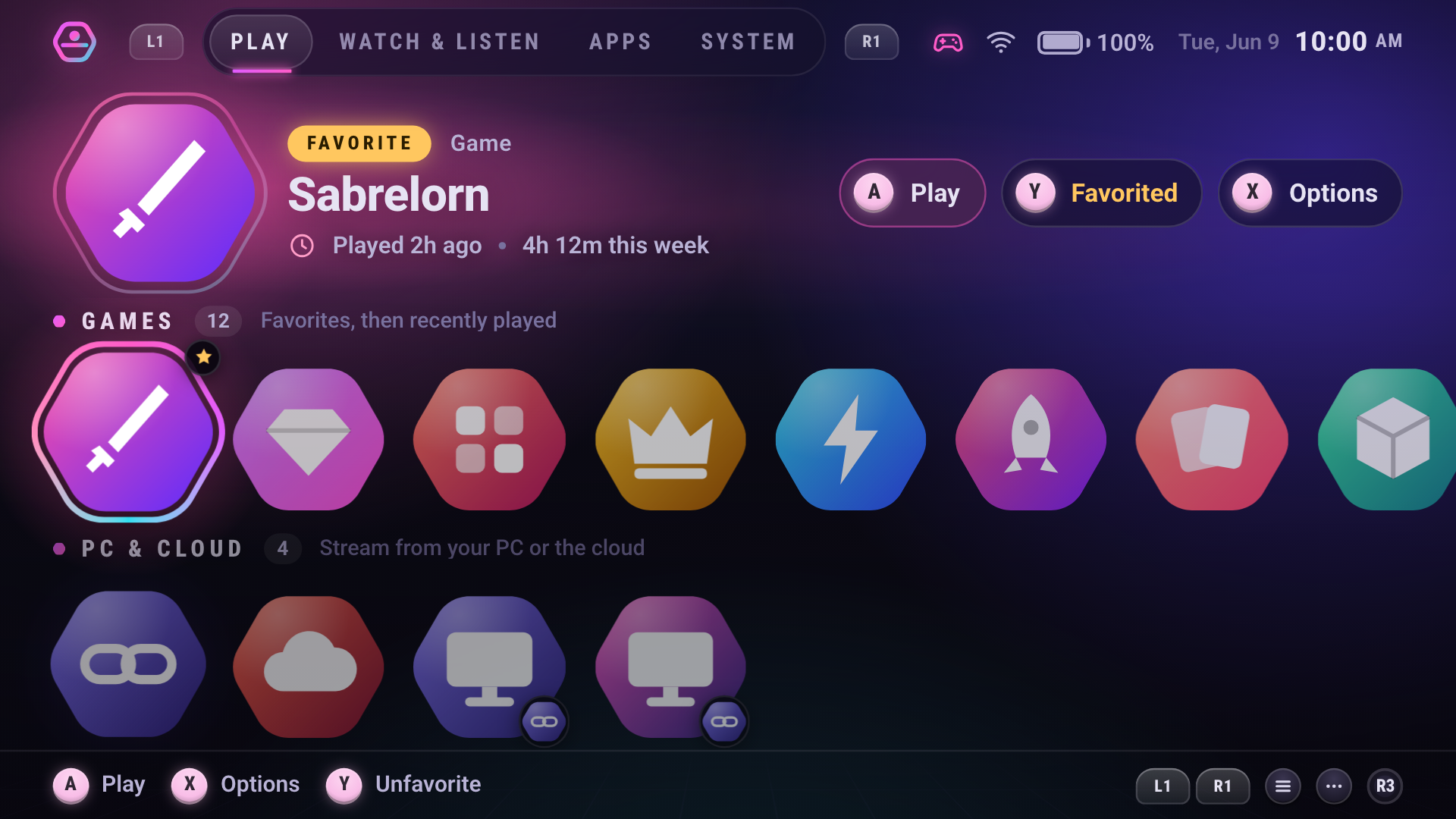
PLAY on a phone
The phone on its side with a controller connected: a favorite game in the spotlight, this week’s play time, its row of games and the button hints.
Download PLAY on a phone (PNG, 1920 × 1080 pixels, 1.3 MB)
Store descriptions
The short and full descriptions, as they read on Google Play.
Short description
A home screen made for game controllers, on phones and tablets. Touch works too.
Full description
Tokumo is a home screen made to be used with a game controller. Your games, video, music and apps are on one home screen, and touch works too.
Four tabs
- PLAY shows your games, with game-streaming apps and the emulator apps Tokumo knows in rows of their own.
- WATCH & LISTEN holds your video and music apps.
- APPS lists every app from A to Z, with search and a jump by letter.
- SYSTEM has shortcuts to your device’s settings, plus the Quick panel, Backup and Customize.
Made for a controller
- Use a wireless or wired game controller, or one your phone or tablet clips into, and move with the D-pad or a stick.
- On-screen prompts show which button does what, with letters or position dots to match your controller.
- SYSTEM › Controller tests your buttons and sticks, maps a controller whose buttons act up, and copies a support report for email.
Your own order
- Pin favorites to the front of their row, hide apps you don’t use, and use “Show in…” to move an app to the tab where it belongs.
- Collections group apps into your own rows in PLAY or WATCH & LISTEN, or into folders in APPS, named with a keyboard made for the controller.
- When Tokumo is your home screen, a shortcut another app offers becomes a tile once you choose Add. Games an emulator adds, or that you pick with Add a game… in its Options, get a row named after it.
Play time, if you want it
Usage access is an optional system setting, off until you turn it on. With it, Tokumo shows “Played 2h ago” for apps you opened anywhere, time played this week, and recently played apps first. Tokumo reads that history only on your device and never saves, uploads or shares it. Everything else works without it.
Quick panel, backup and looks
- The Quick panel has brightness, volume and network. The brightness slider needs a permission to change system settings.
- SYSTEM › Backup saves your setup to a file you keep. Restore shows what will change before anything is replaced.
- Themes and backgrounds, your own wallpaper included, two tile shapes, interface sounds, haptics and reduced motion.
Basic is free
The basic launcher stays free, with no ads. It has everything above, with your first 2 collections, the Midnight Arcade and Carbon themes, and the My wallpaper and Aurora backgrounds.
Tokumo Pro is optional
Pro adds every collection past your first 2, 4 more themes (Ember, Glacier, Phosphor and Dynamic) and the Dynamic background, an aurora tinted by the app in focus.
- $9.99 a year, after a 7-day free trial for first-time subscribers, when Google Play offers it. Google Play asks for a payment method when the trial starts and charges $9.99, plus any tax, when the 7 days end unless you cancel before then. The plan renews automatically every year until you cancel. Cancel any time in your Google Play subscriptions: Pro lasts to the end of the trial or the year you paid for. Uninstalling the app doesn’t cancel.
- $29.99 once: Tokumo Pro Lifetime. One payment, no renewal. “Lifetime” means the life of Tokumo Pro, not yours or your device’s.
US prices. Google Play shows your price before you buy and adds tax where it applies. Tokumo Pro is sold only through Google Play. If Pro ends, nothing you set up is deleted.
Private by design
No sign-in, no account and no ads, and no analytics, tracking or crash-reporting code of its own. Your setup is saved on your device, and Tokumo sends nothing about you to us. Google gives us a record of each Pro order, and may give us crash reports if you share diagnostics with Google.
SYSTEM › Default home app opens your device’s home app setting: choose Tokumo there, or go back to your old home screen any time.
Privacy policy: https://tokumo.app/privacy
Terms of use, including Tokumo Pro: https://tokumo.app/terms
Help: https://tokumo.app/support · support@tokumo.appYour apps and controllers appear in Tokumo under the names and icons they report. Those names, icons and trademarks belong to their owners. Tokumo is not affiliated with or endorsed by them.
Android is a trademark of Google LLC.